
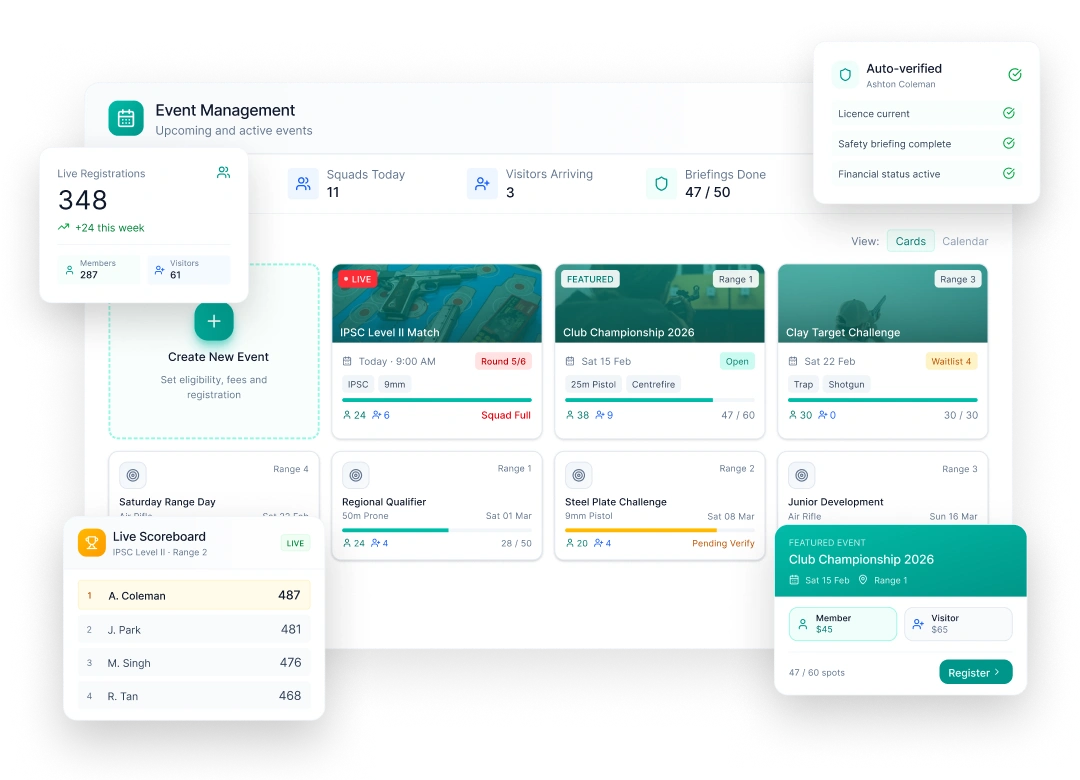
Club Event Management Software for Australian Clubs

Publish the event, take the entries, check people in and post the results, all in the system that already holds your members. No separate ticketing account, and no list of nominations to match up against the member database afterwards.

Most club events run across four tools that don't talk to each other.

For shoot day after shoot day, committees end up:

  • Paying for TryBooking or Eventbrite on top of their club software
  • Matching nominations against the member list by hand
  • Checking licences and safety briefings at the gate
  • Writing scores on paper and typing them in later
  • Posting results days after everyone has gone home
  • Counting participation in a separate system

Every hand-off is another chance to get something wrong, and it's always a volunteer doing it. In SquadSpot an event is part of the membership record, not a separate tool you reconcile later.

Get In Touch
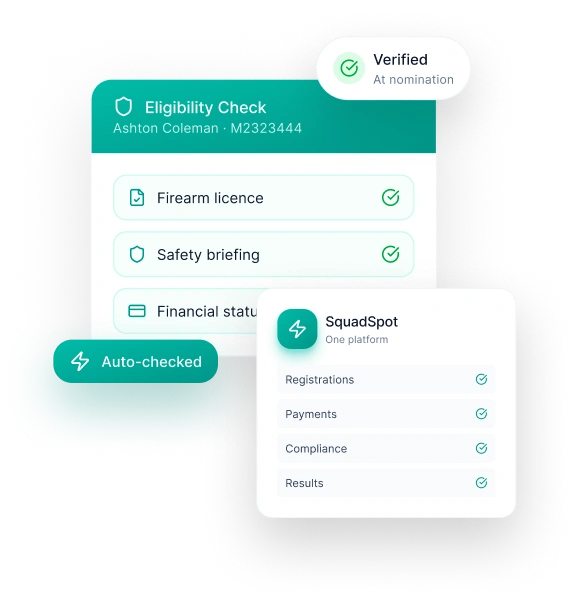
The whole event, in one platform

From the first draft to the final leaderboard, every entry, payment and score lands on the member's record as it happens.

01

Set it up and publish it

One-off, multi-day, all-day or repeating: weekly, monthly, the first Saturday, or a custom pattern. Edit one date or the whole series. Run it in person with a venue and map, or online with a meeting link. Tag categories and disciplines, mark club championships, and keep internal events off the public calendar. Every club gets a public events calendar and a page for each event to link from its website. Listing on the Find Shooting Clubs national events directory is coming soon.

02

Entries from members and visitors

Members confirm who they are with the details you choose, such as membership number, licence number, expiry date, date of birth or check-in PIN, and everything has to match their record. Visitors register through your visitor form or any web form, so the declarations you need are captured and they get a visitor number. Set when entries open and close, or run an expression of interest first to see who's keen.

03

Sessions, places and waitlists

Split a day into bookable sessions from 15 minutes to 4 hours, each with its own number of places. It suits range bays, coaching, come-and-try days and working bees. Generate a timetable in one go, or copy day one across a weekend. When an event is full it stops taking entries. If a place frees up, the longest-waiting booking moves up and is held for them.

04

Entry fees, reconciled

Paid events take card payment at registration, using your saved entry plans or prices set for that event. An unpaid place is held for 30 minutes, then released for the next person. Each payment sits against the booking, the person and the event, and event revenue shows on the dashboard.

05

Check-in on the day

Clubs can let entrants check in at the kiosk with their booking number and PIN. Their arrival is recorded against the booking, and it counts toward the participation rules the club has set. Turn on photo ID check-in and an expired licence is stopped before they get to the line. Need to tell everyone about a change? Email all entrants from the event page, attachments included.

06

Scores and live leaderboards

Turn on scoring for competitions and championships. Rank by highest total, best rounds or average, and set a minimum number of rounds to be ranked. Keep the leaderboard to the club, or make it public and live while the event runs. Scores go onto each member's history. Discipline-specific scoring formats are in active development, starting with sporting clays.

Event Management FAQs

Frequently Asked Questions

Is SquadSpot's event management available now?

Yes. Clubs run events, bookings, entry fees, check-in and leaderboards in SquadSpot today. Discipline-specific scoring formats are the next release, starting with sporting clays.

Can SquadSpot replace TryBooking or Eventbrite?

For club-run events, yes. You get public event pages, entries, paid tickets, places and a waitlist, with every entry tied to a member or visitor record. That's one less subscription and nothing to reconcile afterwards.

Can non-members enter our events?

Yes. They register through your visitor form, or any web form you choose, and get a visitor number. Their entry, payment and check-in sit on that visitor record, so you have a history the next time they come back.

Do event check-ins count toward participation?

Yes. A check-in at an event counts toward the participation rules your club sets, the same as a normal range day. Kiosk check-in for events is optional, so clubs that don't use it can record attendance from the event page instead.

Can we bring across past results?

Yes. Score history can be imported from a spreadsheet during onboarding, so members' records don't start from zero.

Can we take bookings for range sessions, lessons or come-and-try days?

Yes. Split the day into sessions, set the places for each, and people book the slot they want. The day's bookings show who holds each place, who has paid and who turned up.

Take control of club admin and membership management.